We’ve been planning this Blood Moon observation trip since May 2025. Everything almost went according to plan—except for the weather and clouds. However, after months of pointing my Seestar at the sky, I’ve built up patience and learned to make quick adjustments. Here’s how to prepare for the next lunar eclipse!
Location
Look for an open sky with minimal obstructions. My usual spot in Xindian wouldn’t allow me to see the moon after 2 AM since it sets behind the mountains. I used the Stellarium app to help decide whether to find another location. Having visited Taitung multiple times—a place known for its starry skies—and having camped at Xiaoyeliu before, I thought it would offer the best viewing conditions for this celestial event without needing to travel to another island or climb Hehuanshan.
- Campsite: Taitung Camping Area 台東小野柳露營區-車泊、機車露營、搭帳、露營設備租借
- Bortle Scale: 4
- Here’s how to plan your camping trip in Taitung
Use Stellarium again to track the moon’s path and select a spot with no obstructions. Tap the shutter icon to visualize your camera’s exact field of view while dragging the time slider.
Imaging Devices
A lunar eclipse can be observed with the naked eye as long as it’s not cloudy. But to document this event, we planned and brought the following gears:
- Seestar S30 – for time-lapse footage of the moon changing colors
- DSLR: older Canon EOS 1100D with 55-250mm kit lens – for raw files and individual moon images
- GoPro 12 & 13 – for wide night-lapse shots
We initially planned to capture star trails to show the effect of the full moon and eclipse, but managing four devices with only two people proved too ambitious.
Eclipse Timelapse with Seestar S30
Here are my steps to create this “glitching” timelapse:
- Open the Seestar app, go to Solar System mode, then “Go To” the Moon
- Select Time Lapse and set it to a 1sin terval
- Enable Center Target (this causes the glitching effect, but keeps your target from drifting off-screen)
- Adjust brightness automatically or manually depending on conditions (this can worsen the glitching)
- Seestar recommends enabling RAW, but I chose not to because I didn’t have time to manage storage, and according to their documentation, 4hrs of time-lapse uses 24.2GB
The result was a 4min timelapse that I edited using the GoPro app – I cut out the glitching parts and sped up the video 4x.
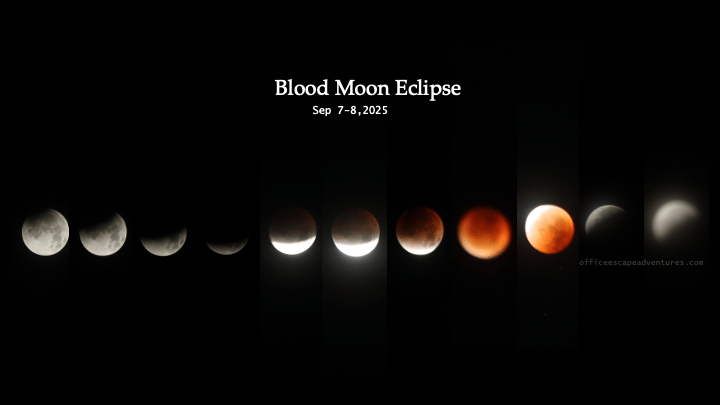
Blood Moon Photos with Canon EOS 1100D
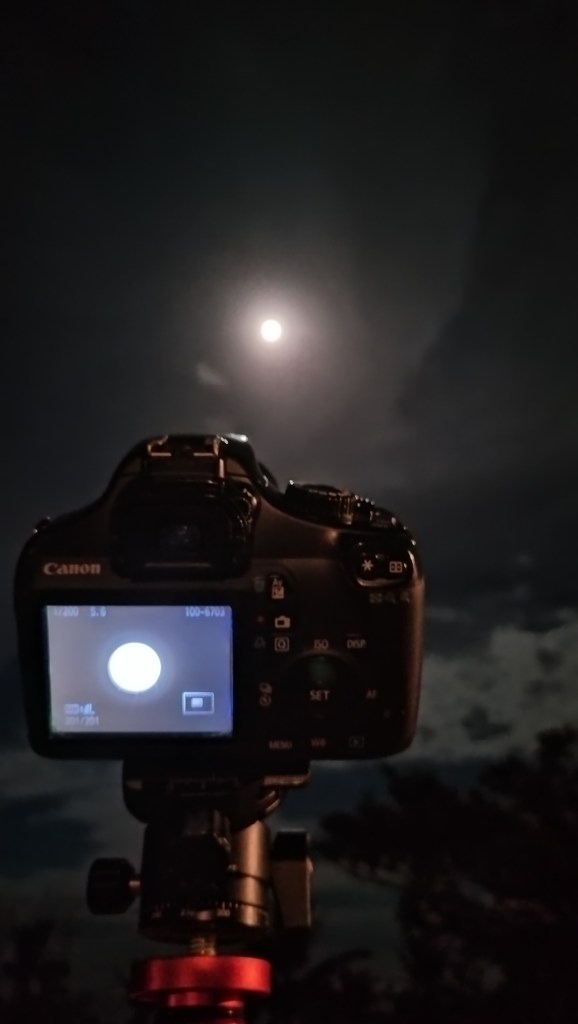
Since we’d gotten rusty with our amateur photography skills, we did some practice the night before. Our gear choice had limitations, and at some point, the eyepiece strain bothered Gerald. Here’s the best shot he managed to capture:
Eclipse Timelapse with GoPro 12 and GoPro 13
We originally planned to point one GoPro at the opposite side of the moon to shoot star trails, capturing the effect of the full moon and eclipse. Instead, we decided to alternate between the GoPro 12 and 13 throughout the night to ensure we captured the moon’s movement across the sky. Both cameras have Night Lapse presets, but we calibrated them to ensure the interval, shutter, and timer settings matched. The GoPros didn’t disappoint!
Hopefully, this post gives you some different ideas for the next lunar eclipse.
===
That’s it for now! Stay tuned for more adventures and tips on balancing work and travel! 🌹

Leave a comment