I started with the Deepblu Cosmiq+ Dive Computer, which I discovered during the Diving & Resort Travel Expo (DRT Show) in Taiwan. I loved its digital display, huge screen, and the social aspect of the app. After reaching 100 dives, I decided to switch to the Garmin Descent Mk2s. I was already using the discontinued Vivoactive HR, and it was time for an upgrade as well. Instead of getting separate devices for different purposes, I thought Mk2s would be perfect. This was also in preparation for my Rescue Diver certification in 2022. I used this device for over a year.
In late 2023, the Garmin Descent Mk3 was released. Since Gerald was getting into scuba diving, we decided to get one—I would use the Mk3, and he would use the Mk2s.
How I Used the Garmin Descent Mk3 During Technical Diving Training
It Started with a Birthday Greeting!
One of the charming features of Garmin is its personalized touches, like birthday greetings that make the device feel more connected to you.
Dive Readiness Monitoring

I’ve been relying heavily on the Mk3 to inform me of my Dive Readiness status throughout the training. During this week-long course, I maintained a regular sleep schedule from 11 PM to 6:30 AM, took walks after lunch and dinner, avoided alcohol, and ate plenty of fruits. There wasn’t much we could do about the fatty, salty, savory Filipino food though!
The Dive Readiness feature from my understanding is based on comprehensive data collection.
Data Sources
- Sleep score (last night)
- Recovery time
- Body battery level
- Jet lag indicators
- Dive history
- Sleep history (last 3 nights)
- Training status
Status References
- Green (Good): Ready to dive
- Yellow (Moderate): Stay focused
- Orange (Low): Be cautious
- Red (DCS Risk): Rest before diving
This feature proved invaluable during the intensive technical training, helping me understand when my body was truly ready for challenging dives.
Technical Diving Setup and Planning
For technical diving, I rearranged the menu to include Multi-Gas and Plan Dive functions prominently.
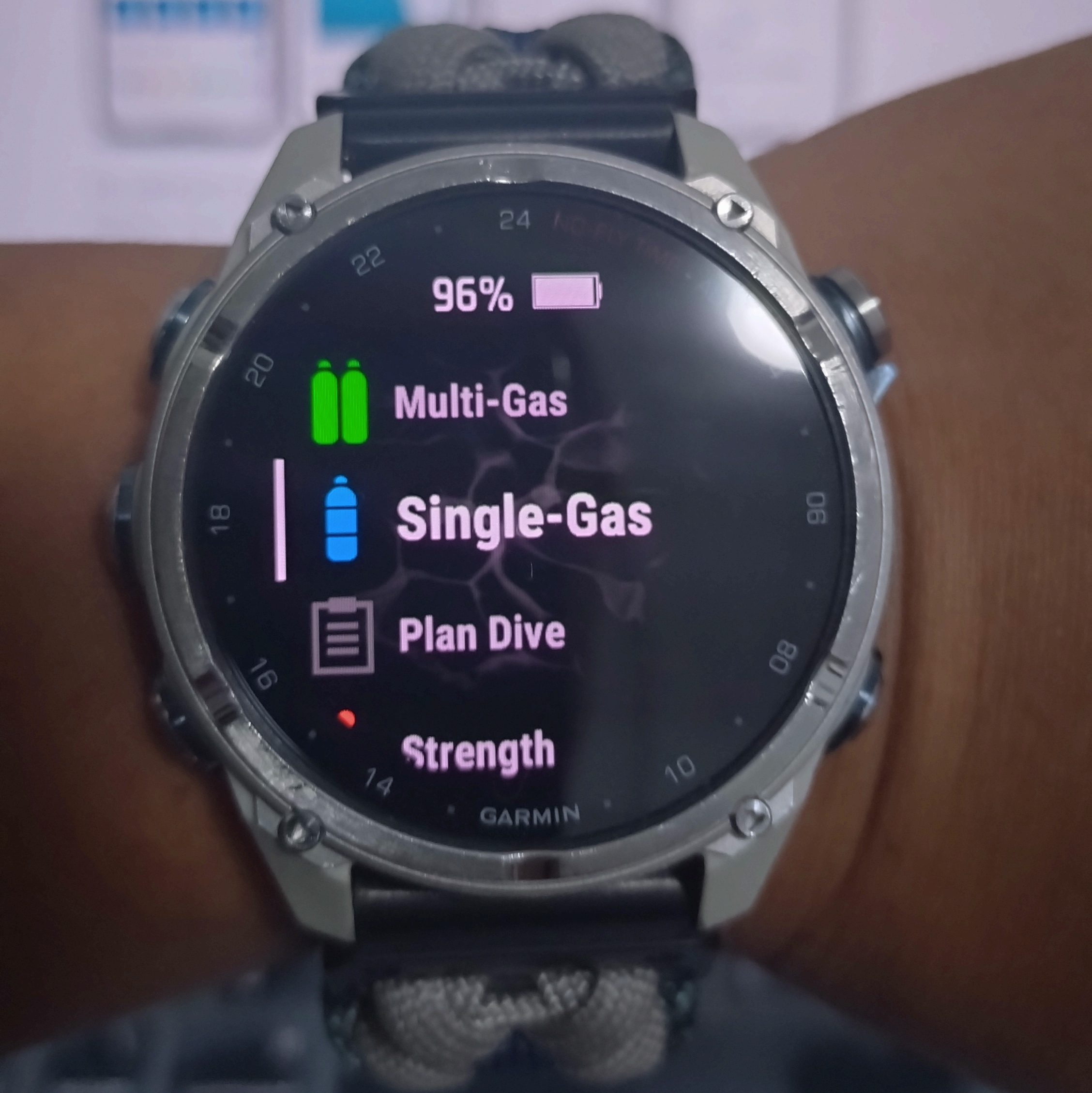
Multi-Gas Setup
- Gases: Configured bottom gas and decompression gas mixtures
- Conservatism: Aligned gradient factors with my instructor’s settings (30/70)
- Last Deco Stop: Set to 6 meters
- Display Settings: Enabled “Big Numbers” for easy underwater reading
Dive Planning Features
- Add New Plan: Features a neat integration that triggers the mobile app for easy dive plan naming
- Input Critical Data: PO2 limits, conservatism factors, gas mixtures, last deco stop depth, bottom depth, and bottom time
- Plan Review: View and discuss the plan with your dive team/instructor
- Integration: Apply the plan to Multi-Gas mode
This planning capability allowed me to present detailed dive plans to my instructor and understand the decompression obligations before entering the water.
Underwater Performance
Similar to other sports activities, I start the dive activity while on the boat to capture GPS coordinates.
It was initially disorienting having the computer on my right arm instead of my usual left, but the underwater display was clear and accessible throughout the dives.
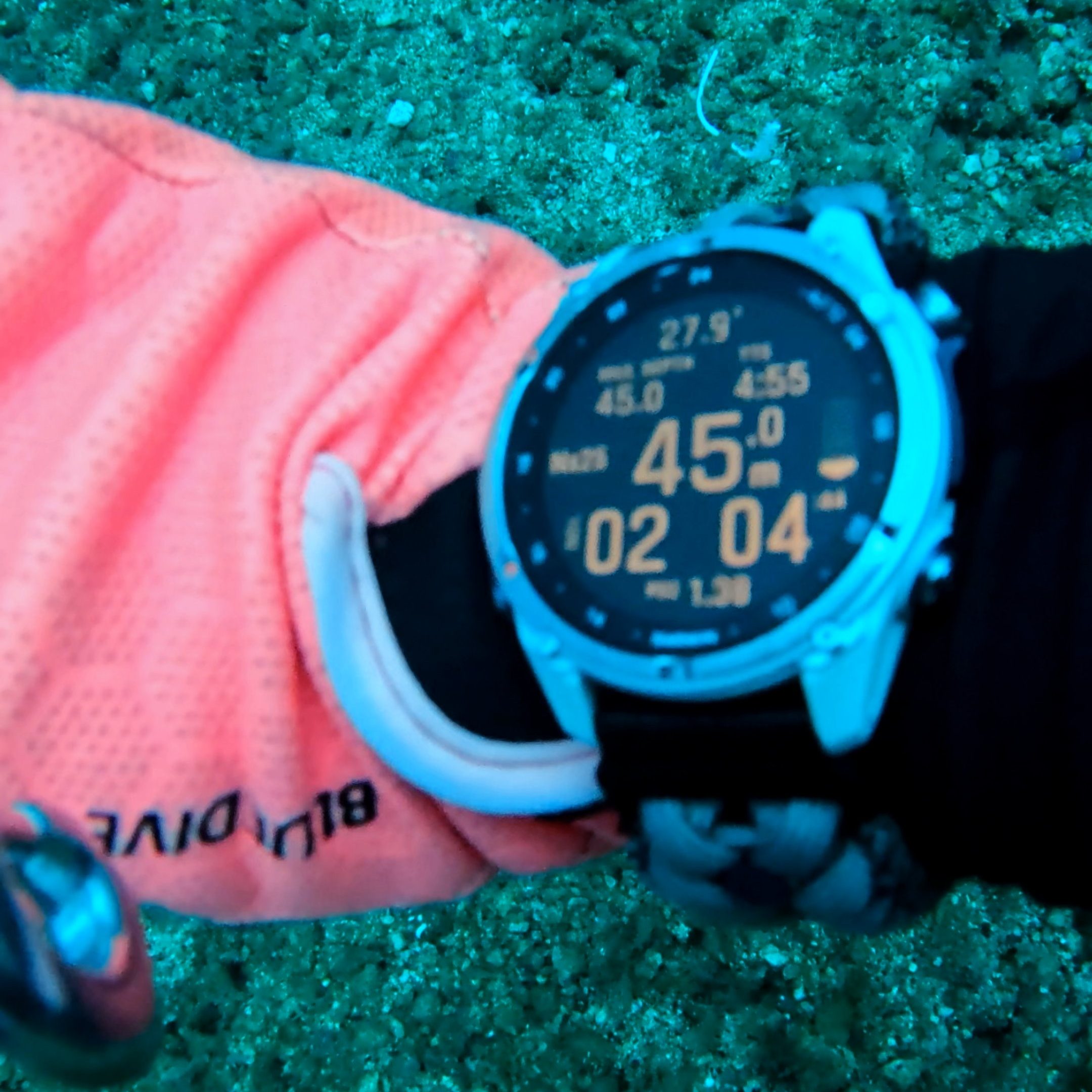
The large, clear display made it easy to monitor critical information during the dives, especially during gas switches and decompression stops.
Post-Dive Analysis: The Game Changer
Detailed Event Tracking
Navigation: Session tab → Dive Details → Events
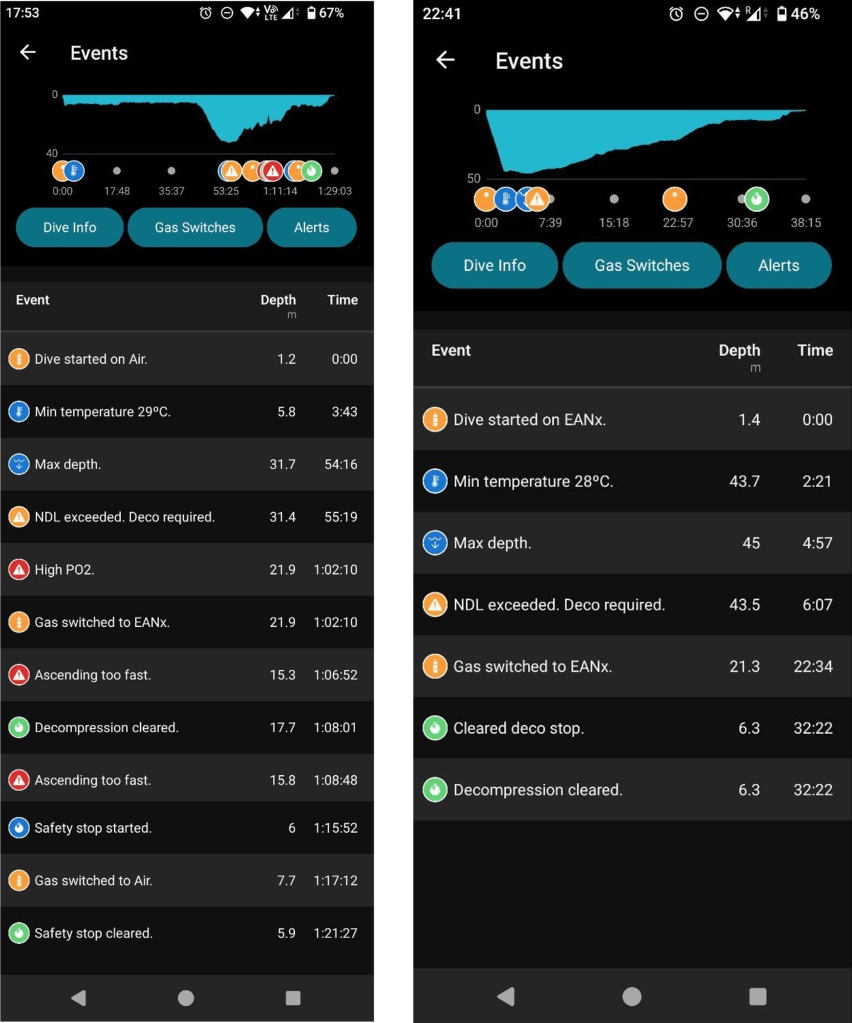
While my instructor conducted detailed debriefs, I kept the Garmin Dive app open on this page to validate his observations against what the computer recorded. The correlation was remarkably accurate every time. My instructor would then review the data and explain the events to me in detail.
Buoyancy Control Analysis
The event logs clearly showed the difference between my first decompression dive (left) and my successful 45-meter dive (right). The depth charts revealed a stark contrast in my buoyancy control—the smoother lines on my 45-meter dive indicated much better depth control and overall buoyancy management.
Decompression Data Visualization
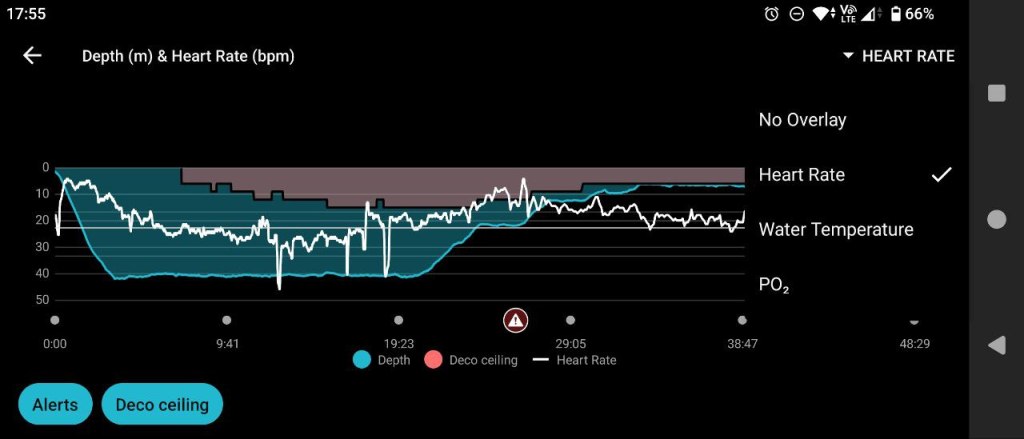
My instructor particularly enjoyed examining the Depth Chart, which displays the decompression ceiling and helps explain the impact of decompression procedures with concrete data. This visual representation made complex decompression theory much more understandable.
Heart Rate and Stress Analysis
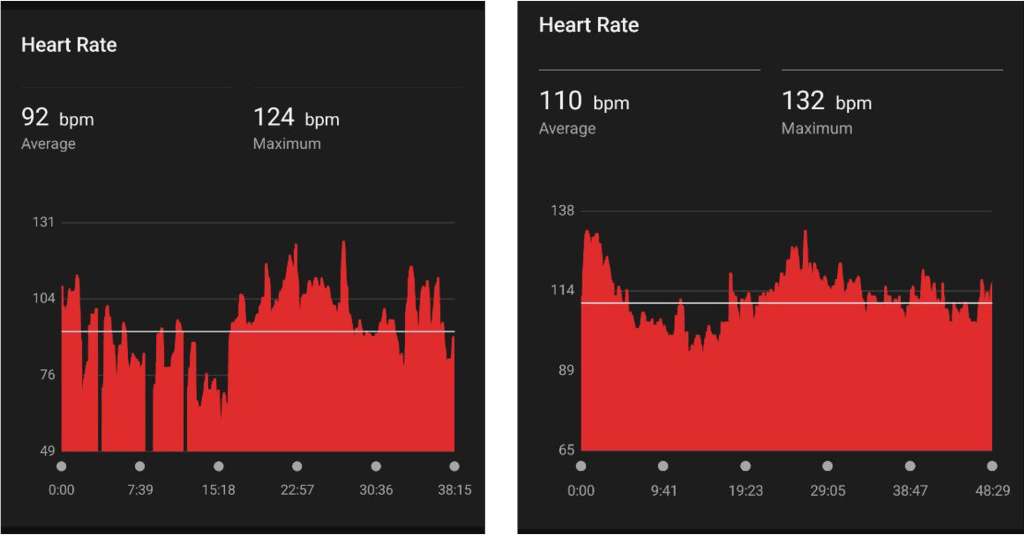
The heart rate data provided fascinating insights into my physiological responses during technical dives.
During the 45m dive, my instructor suspected that nitrogen narcosis might have caused me to become overly relaxed while during the Japanese Wreck dive I have a higher overall heart rate, reflecting the stress I was experiencing.
Not in these charts but we discussed how I have consistently elevated heart rate at 21m during gas switches and another heart rate increase at 6m during long decompression stops.
For me, these heart rate spikes provides me with valuable insight into my mental state during different phases of technical dives.
Throughout the training, the Garmin Descent Mk3 performed exceptionally well. The comprehensive data collection and analysis capabilities enhanced both the learning experience and safety protocols. The only feature I found myself wishing for was air integration—because reaching the analog pressure gauge (SPG) while managing three tanks was genuinely challenging (but my dive instructor thinks I’m just being lazy).
Future Considerations: Redundancy in Technical Diving
One of the fundamental principles we learned in technical diving is REDUNDANCY—or as some might say, an excellent excuse to buy another dive computer! I’m considering the Garmin Descent X50i, though I’ll probably wait for the second-generation release to benefit from any improvements.
Ready to dive deep? Check out Parts 1 and 2 to help you get started!
Diving in Puerto Galera: Logistics Guide
Tech Diving Certification: What to expect
===
That’s it for now! Stay tuned for more diving adventures and gear reviews!
🌹

Leave a comment